Gain consumer feedback to optimize your product launch and drive success.
Campaign Overview
When launching something new, getting immediate feedback from real consumers is key to making informed decisions fast. This campaign is built to help you gather quick, actionable insights while driving awareness for your latest innovation.
How Does it Work?
By leveraging Brand Advocates, you can generate personalized consumer feedback. Whether it’s a brand-new product launch, a rebrand, or an exciting new flavor, color, or size - this campaign helps you understand consumer feedback.
Key Capabilities:
- Strategic Consumer Insights: Enables you to gather quick, real-time feedback from actual consumers, empowering you to make fast, informed decisions during critical early stages of a product launch or rebrand.
- Authentic Feedback: Get personalized, credible consumer responses that provide deep insight into how they feel about your product.
Who Can Benefit?
This feature is now available to all clients operating on Amazon and Walmart. Stay tuned for more retailers coming soon!
Getting Started:
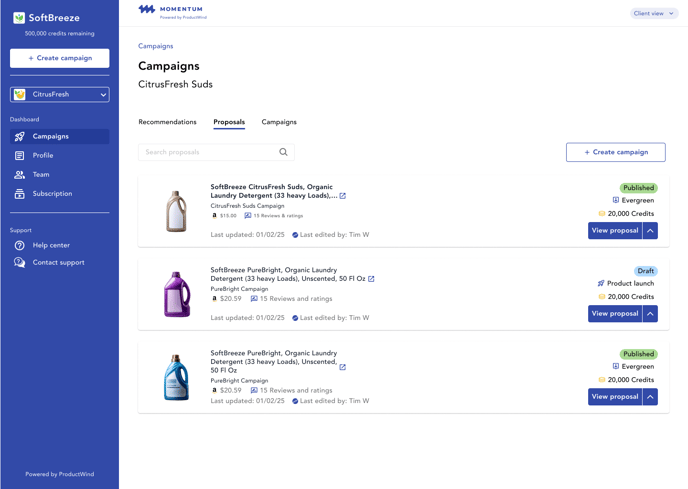
- Open up your Momentum dashboard and go to the proposals tab. Click “Create Campaign”
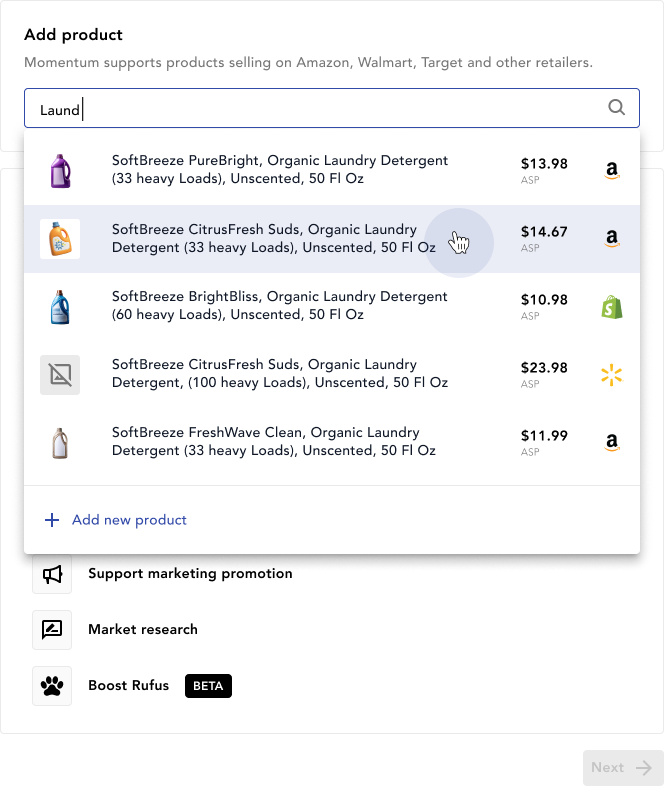
- In the “Add Product” section, click the search bar and select the product you want to promote
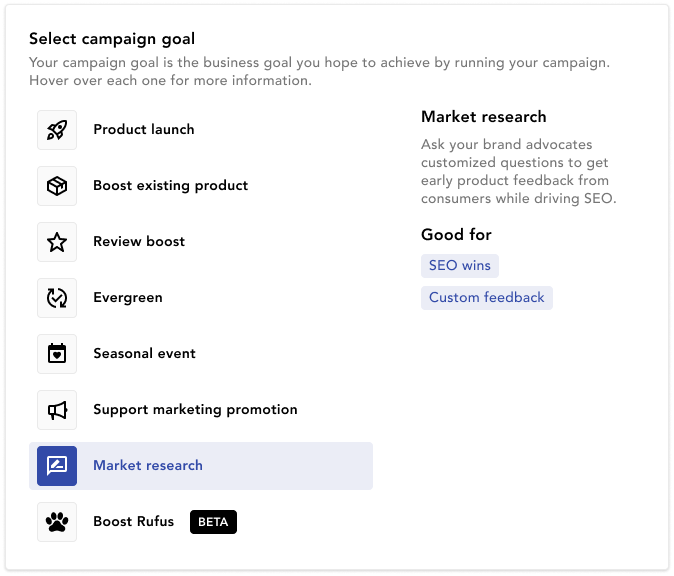
- Under Campaign Goal, select “Market Research”. Fill in your desired number of responses and select generate recommendation.
- Fill out the remaining fields and select “Save & Next”
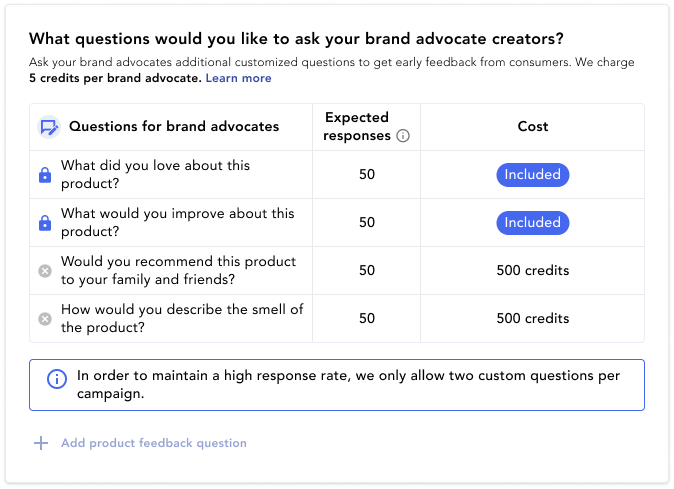
- Below the Creator Schedule you’ll find the prompt to add in your Product Feedback Questions. Keep it under 120 characters
- Fill out the remaining fields and schedule your campaign
FAQs:
Is this available for all campaign types?
Yes, this feature is available for every campaign type in Momentum.
Do both Brand Advocates and UGC Creators answer these questions?
No, this feature is only available to be used on Brand Advocates.
What is the expected response rate from creators?
On average, you can expect about a 50% response rate from the total number of Brand Advocates used in the campaign.
What should I avoid when creating my questions?
Avoid writing questions that prompt Yes or No answers, we want you to get the most out of your questions.
How many questions can I ask?
At the moment, you are allotted two custom questions per campaign.
Related Article(s):
- What is a Seasonal Event Campaign?
- What is a Support Marketing Promotion Campaign?