A new feature that allows you to unlock deeper and more personalized insights with custom questions!
What is the Custom Feedback Feature?
The Custom Feedback feature allows you to add up to two additional custom questions to your campaigns to gather specific feedback from brand advocates. This feature enables you to receive detailed, actionable insights about your product that go beyond default feedback questions.
Why Is This Important?
With our Custom Feedback feature, you can gain in-depth feedback from creators, leading to better product improvements and stronger marketing strategies. With these thoughtful questions, you can:
- Uncover specific likes and areas for improvement
- Gain insights tailored to product development
- Improve future influencer campaigns based on detailed responses
Who Can Benefit?
This feature is now available to all clients!
Key Capabilities:
- Add up to two custom feedback questions to your campaigns, in addition to the two questions already asked
- “What did you like about the product”
- “What is something you didn’t like about the product”
- Collect tailored insights on product features, usability, and appeal
- Use open-ended questions to generate detailed responses
- Align custom questions with campaign goals (e.g., product improvements, marketing insights)
Best Practices for Writing Questions:
-
- Ask Open-Ended Questions
-
-
-
- Instead of: "Did you like the product packaging?"
- Try: "What aspects of the product packaging stood out to you?"
-
- Focus on Specific Aspects
-
-
-
-
- Instead of: "What are your thoughts about the product?"
- Try: "How does this product compare to similar items you've used before?"
-
-
-
- Encourage Detailed Responses
-
-
-
- Instead of: "Was the product easy to use?"
- Try: "What made the product easy or difficult to use?"
-
-
-
- Align with Campaign Goals
-
-
- For product improvement: Ask about features or usability.
- For marketing insights: Focus on purchasing decisions and consumer appeal.
-
Getting Started:
- Access the Proposal Section within the Momentum Dashboard > Select Create Campaign
- Fill out all necessary aspects of the proposal: Title, Product Link, Campaign Type, 30-Day Unit Sales estimate, Creators, etc.
- Hit "Next" and scroll down right below the creator schedule section. This is where you will be able to add in up to two personalized questions.
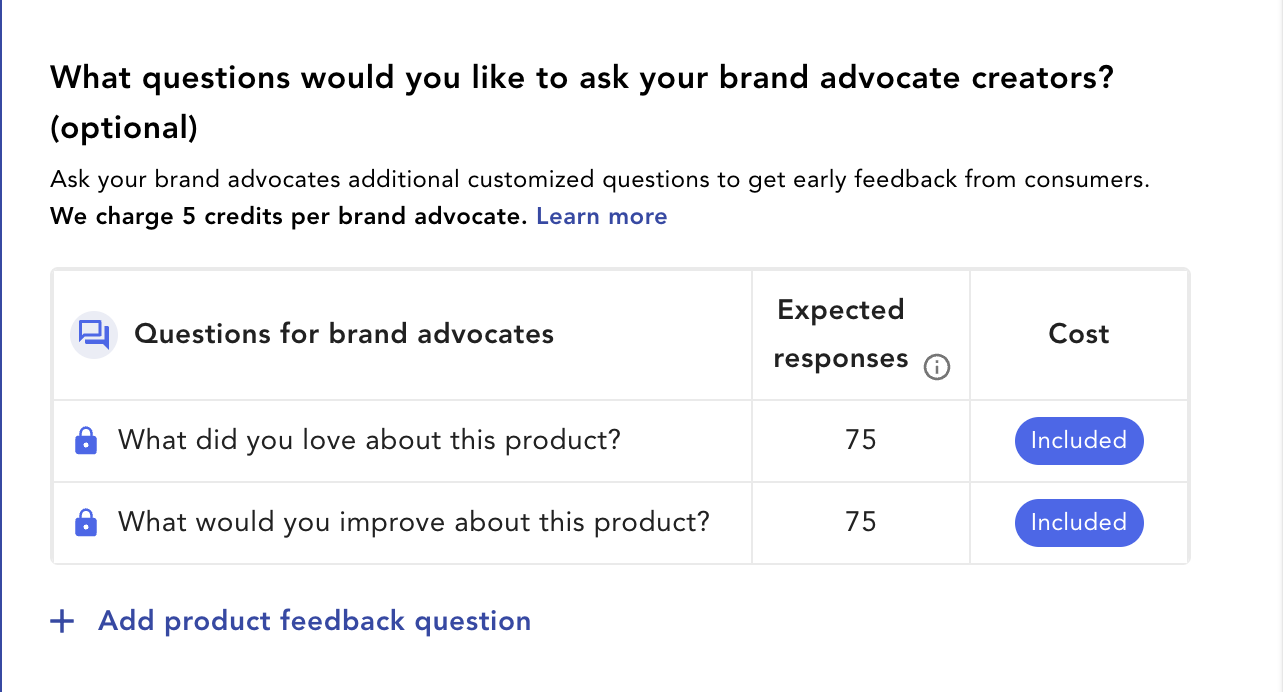
- As you add in your questions, you will see the additional cost added into the campaign summary on the right hand side of your screen. You will be charged 5 credits per BA response
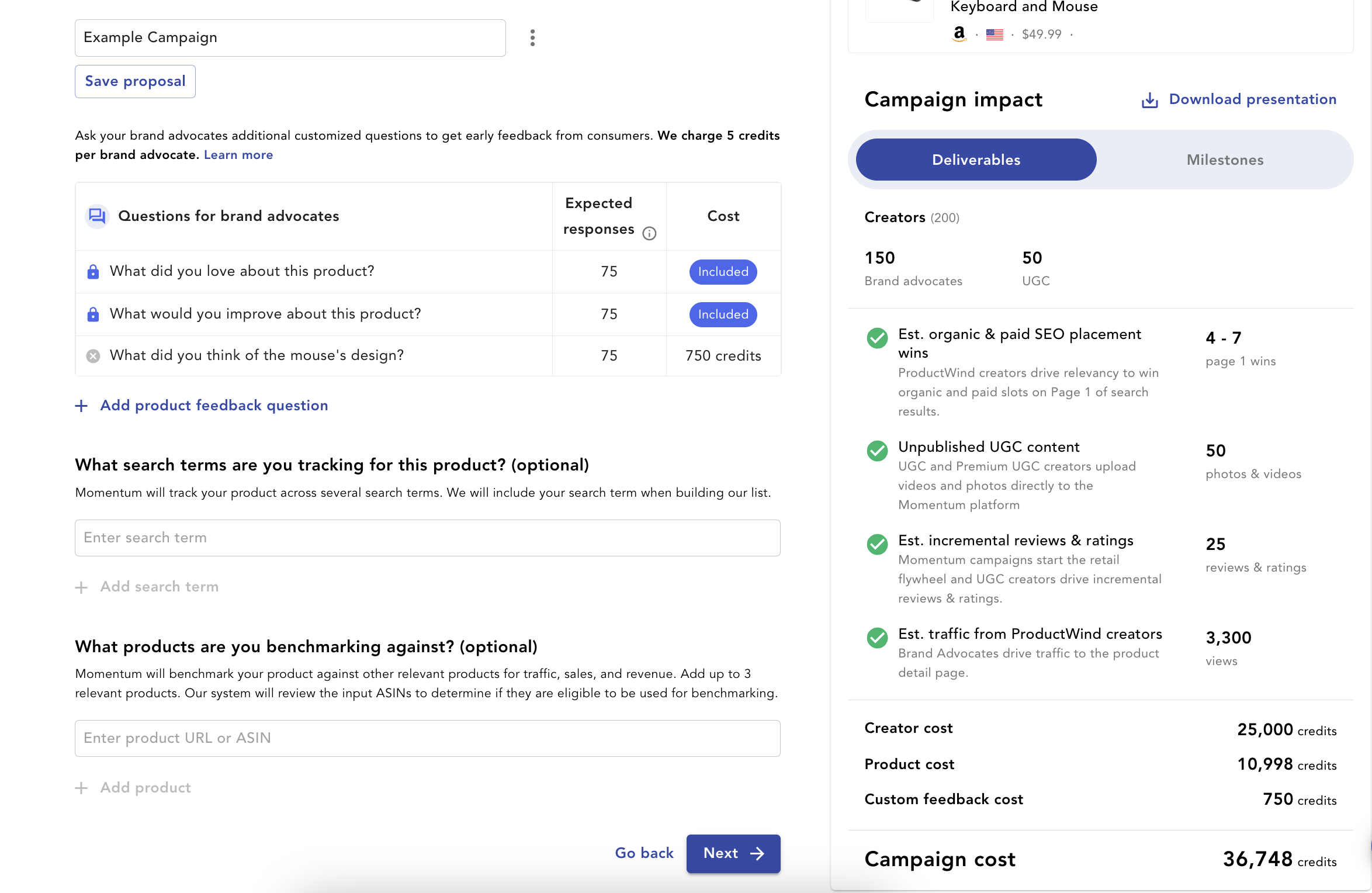
- Once your questions have been added in, proceed to scheduling your campaign as normal
FAQs:
Is there a cost associated with this feature?
Yes, in order to use this feature you will be invoiced 5 credits per BA used.
Can I use this feature on UGC only campaigns?
No, currently the Custom Feedback feature is only available for Brand Advocates.
Can I add more than two custom questions?
No, currently Momentum allows up to two additional custom questions per campaign.
Is there a character limit when creating my questions?
Yes, your question has to be 120 characters or less.
How many Brand Advocates do I need to hit a goal of 100 responses?
We have a guaranteed response rate of 50%, so it is recommended that if you’re looking for 50 responses, you will need to use 100 BAs in your campaign.