With the support ticket feature, you’re only a few clicks away from addressing any needs or concerns. Receive responses within 24 hours, ensuring quick assistance that allows you to stay focused on achieving your goals without delay.
What Are Support Tickets?
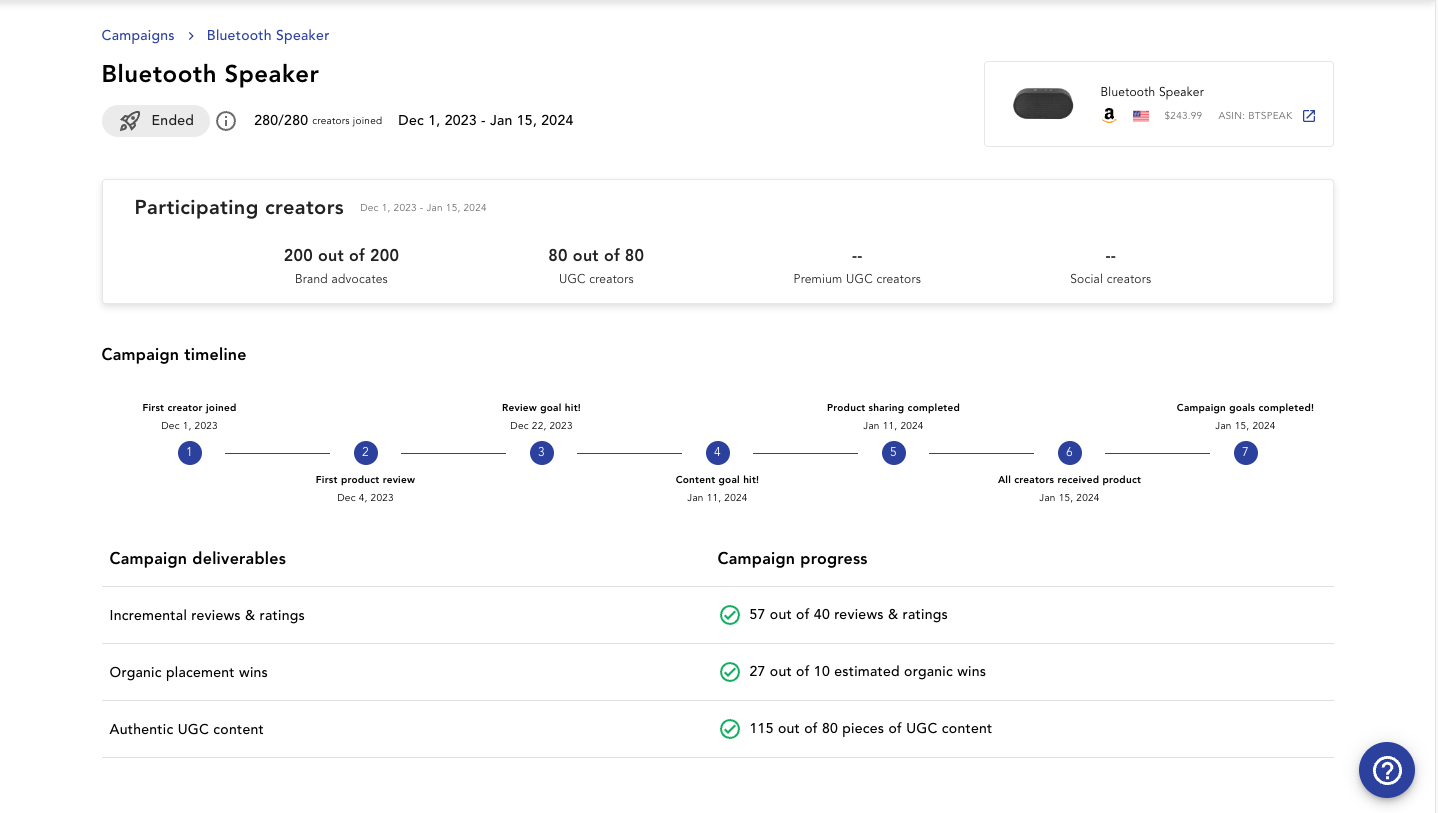
Our support ticket feature empowers you to reach out for assistance directly within the platform. Whether you have questions or notice something that needs attention, simply click on the blue question mark icon in the lower right-hand corner, fill out the brief form, and submit. Our team is notified immediately to ensure your experience remains smooth and uninterrupted.
Why Is This Important?
With the support ticket feature, you’re only a few clicks away from addressing any needs or concerns. Submissions receive responses within 24 hours, ensuring quick assistance that allows you to stay focused on achieving your goals without delay.
Who Can Benefit?
This feature is now available to all clients!
Key Capabilities:
- Efficient Assistance: Report any platform-related concerns or questions within seconds, creating a seamless experience for receiving timely support.
- Quick Response TImes: Your submissions trigger immediate notifications to our support team, ensuring prompt attention to maintain your productivity.
- Insights-Driven Improvements: Each ticket helps us understand your needs better, allowing us to enhance the platform based on real user feedback.
- Streamlined Communication: Get the help you need without leaving the platform, reinforcing our commitment to a responsive and user-friendly experience.
Getting Started:
- To find the support ticket icon, navigate to the lower right hand corner of your screen. There you will find a blue circle with a question mark.
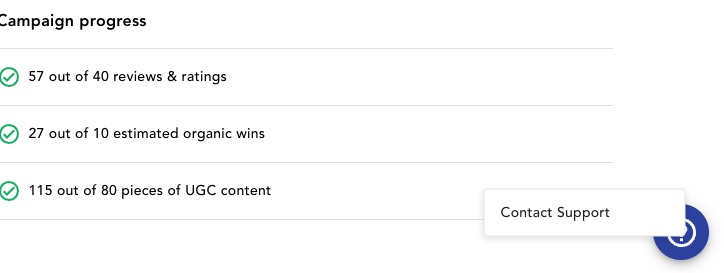
- Click on the check mark to be prompted with “Contact Support”, select this
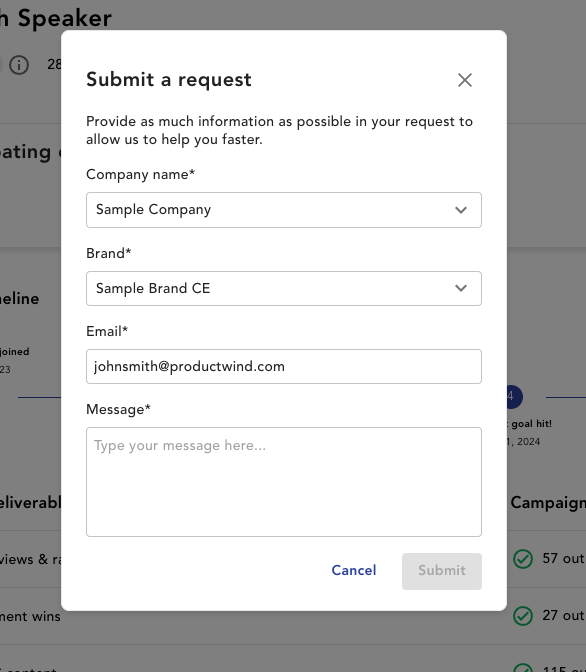
- From there you will be prompted with a request form where you can fill out the exact issue/message you are facing.
FAQs:
How will I know if my issue requires a support ticket or if I should reach out to my Customer Success Manager?
For any questions about using the platform, campaign strategy, or data analysis, your Customer Success Manager is your main contact. For assistance with specific tasks, functionality, or if you’re experiencing challenges within the platform, the support ticket feature is ideal to ensure you receive a timely response.
Can I track the status of my support ticket after submission?
Yes, once you submit a support ticket, you’ll receive an email confirmation with a reference number. You’ll also receive updates as the ticket is reviewed and resolved, so you’re always informed of the progress.
What kind of details should I include in my ticket?
To help us assist you effectively, please include a clear description of your question or concern, along with any relevant details, such as specific sections of the platform you were using. Adding screenshots or steps you took can also help us understand your needs better.
Is there a limit to how many support tickets I can submit?
No, there’s no limit to the number of tickets you can submit. Our support team is here to assist you as needed, so feel free to reach out whenever you have questions or need guidance.